Instant camera and mic triggers for your smart home.
A native macOS menu bar utility hooking directly into low-level CoreAudio and CoreMediaIO hardware listeners. Trigger Home Assistant webhooks, update status files, and alert you the microsecond capture goes live. Zero polling. Zero CPU churn.
cat ~/.in-meeting
"inactive"
{
  "device": "all",
  "status": "idle",
  "timestamp": "2026-09-12T14:19:00Z"
}

Engineered for zero polling.
Most third-party status monitors rely on heavy shell scripts parsing continuous macOS system log streams. In Meeting hooks directly into low-level Apple framework registers in memory.
Subprocess Log Streaming
Spawns shell tasks executing log stream --predicate 'eventMessage contains "camera"'.
Direct Framework Registers
Attaches zero-overhead property listener blocks directly to CoreAudio and CoreMediaIO system object IDs.
Native macOS craft from menu bar to settings.
Built exclusively as a lightweight menu bar utility with a dedicated SwiftUI preferences window. No persistent dock icons, no unnecessary window footprint.
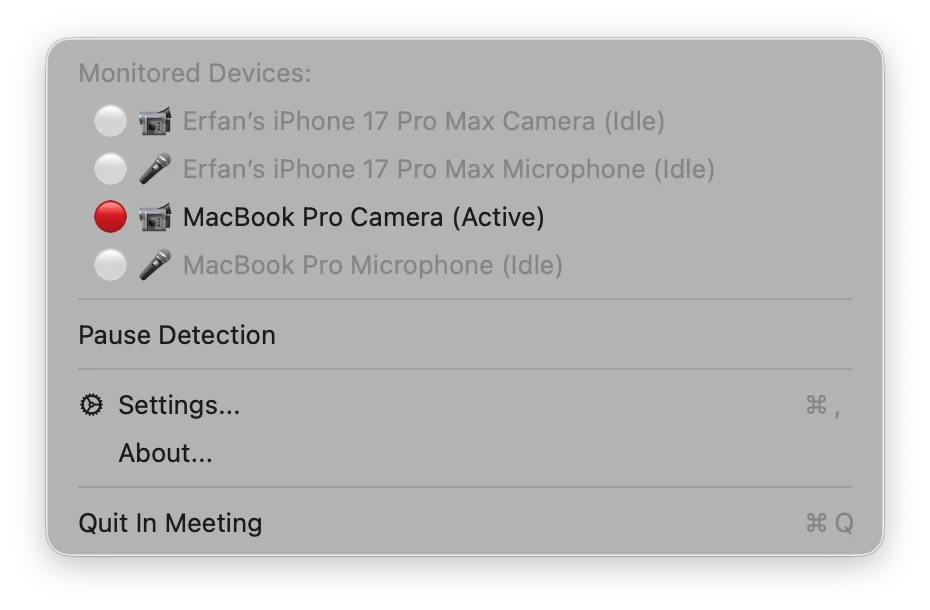
Status Bar Menu Extra
Lives quietly in your menu bar. The icon dynamically morphs between an idle camera outline, a glowing recording circle when in use, and a slash icon when paused.
-
Per-Device Exclusions: Click any device in the list to uncheck it. Excluded hardware will never trigger webhooks or notifications.
-
One-Click Temporary Pause: Suspend detection during quick hardware tests without changing your saved configurations.
-
Hardware Hot-Plugging: Instantly discovers external USB webcams, AirPods, and iPhone Continuity cameras the moment they connect.
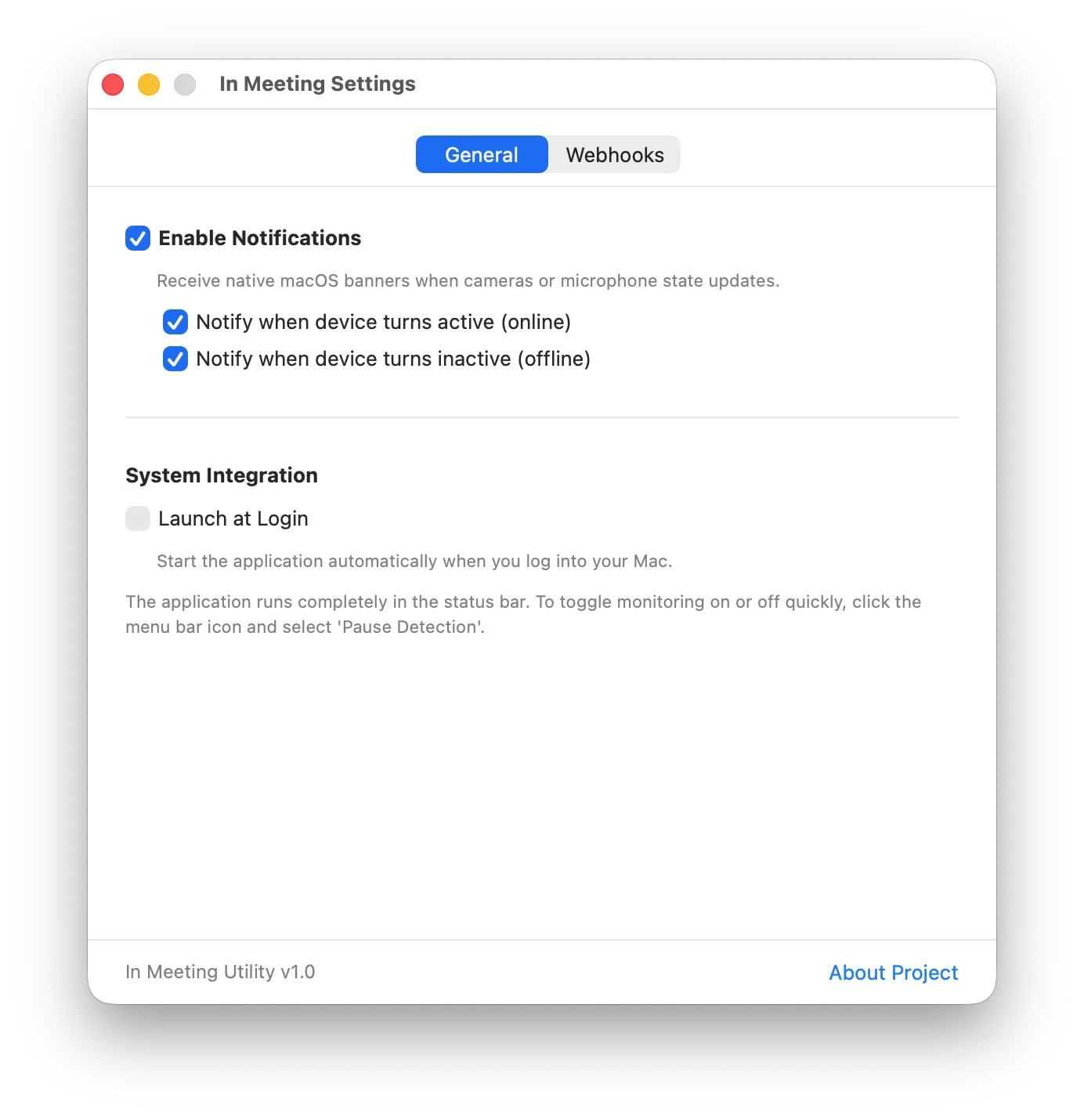
General Preferences
Configured through a native SwiftUI window avoiding macOS Form wrapper bugs, aligned to Human Interface Guidelines.
-
Launch at Login: Leverages macOS 13+
SMAppService.mainAppAPI for seamless, reliable login registration. -
Native User Notifications: Configure distinct alerts for device activation versus deactivation banners.
-
Atomic State Synchronization: Maintains
~/.in-meetingindicator file on every capture transition.
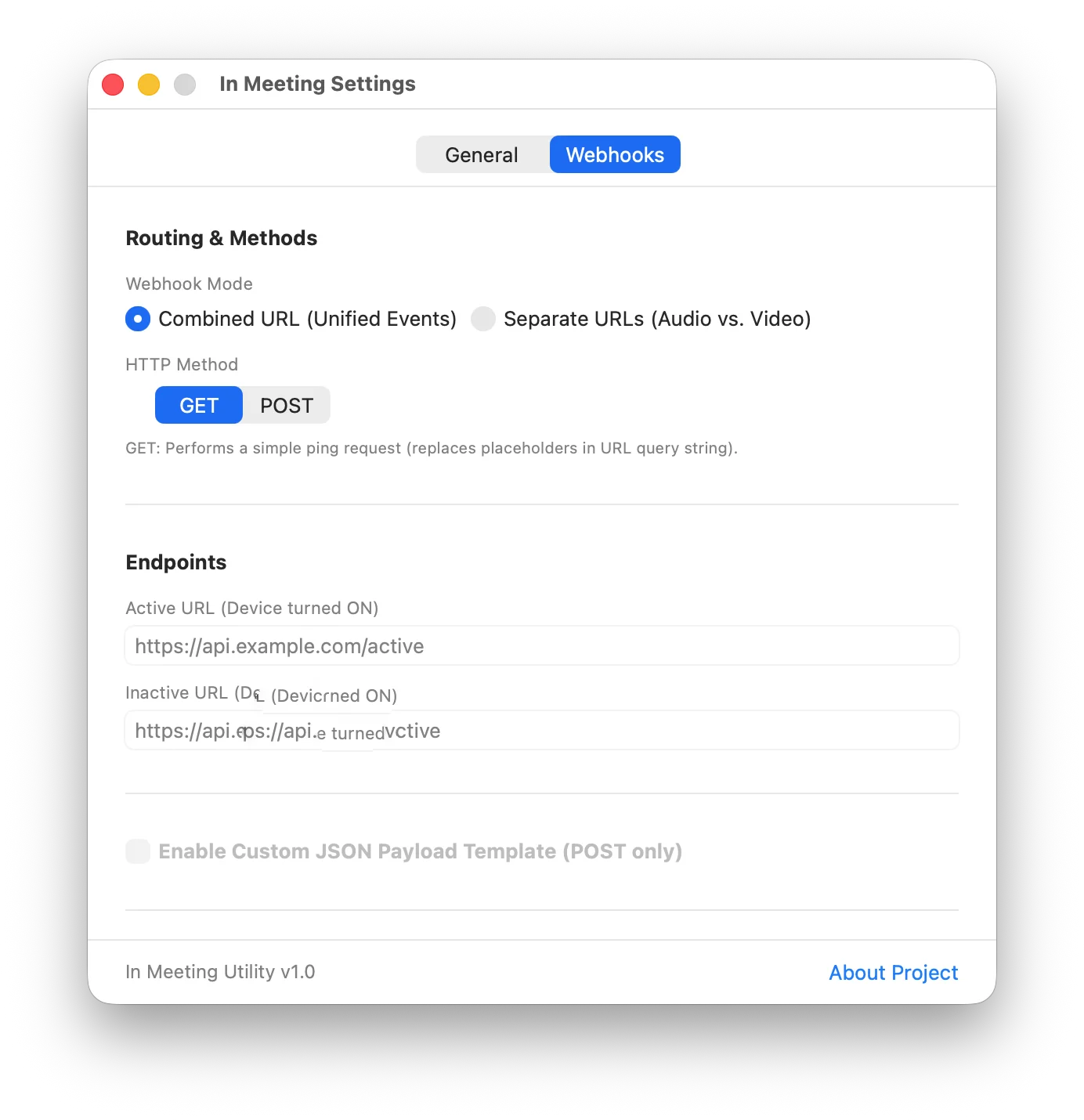
Webhook Orchestration
Dispatches HTTP requests directly from your Mac to smart home hubs, local microservices, or cloud endpoints.
-
Combined or Separate URLs: Send all events to a single endpoint or configure independent targets for audio and video.
-
Template Placeholder Tokens: Use
{{device_name}},{{device_type}}, and{{device_status}}with automatic percent-encoding. -
Exponential Backoff Retries: Background retry engine automatically attempts failed requests up to 3 times on temporary network errors.
Install in seconds.
Install the notarized binary via Homebrew or compile the open-source Swift project with Xcode.
Homebrew
Install the precompiled application directly into your macOS Applications folder with a single command:
Requires macOS 13.0 or later.
Build with Xcode
Prefer compiling the Swift code yourself? Clone the repo and build with the native toolchain:
Open In Meeting.xcodeproj and press ⌘R.
Privacy first. Zero exceptions.
In Meeting is built on complete transparency. No tracking tokens, no remote metrics, no third-party libraries.
Zero Telemetry
No tracking data, user analytics, crash telemetry, or diagnostics are ever collected or transmitted.
100% On-Device
All hardware state listeners execute entirely on your machine. Webhook payloads travel strictly to your designated endpoints.
Permissive MIT License
Fully open source. Inspect every line of Swift and CoreAudio listener code, submit pull requests, or fork your own builds.
Sandbox-Free by Design
App sandbox is deliberately disabled solely to interface with global hardware registers via CoreAudio and CoreMediaIO.